
What to Check When Your New LiFePO4 Battery Arrives
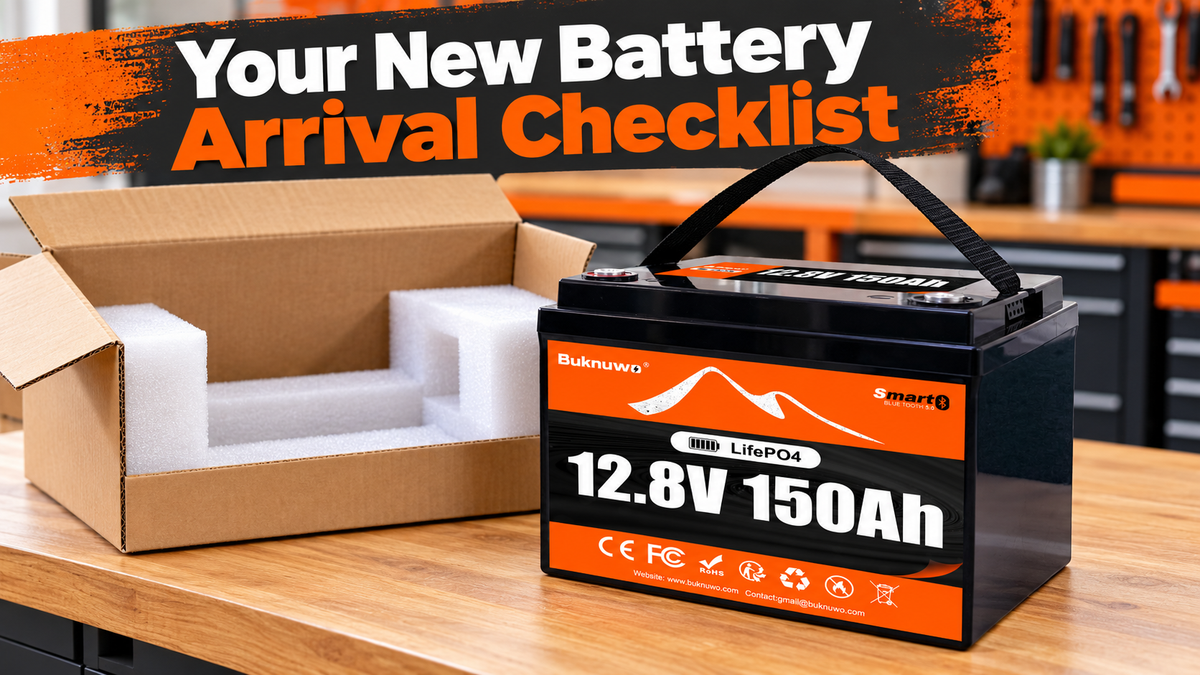
Quick answer: When your new LiFePO4 battery arrives, inspect the shipping carton, confirm the exact model against your order, check the case and terminals, identify the supplied accessories and read the manual before connecting anything. Keep photos and purchase records. If there are signs of damage or abnormal behavior, stop and contact support before charging or using the battery.
A careful receiving check helps separate a delivery problem, an order mismatch and a setup issue. It also gives you the information needed to ask useful questions before installing a battery in an RV, camping system or small solar setup.
1. Inspect the carton before unpacking
Look for crushed corners, punctures, wet areas, torn seams or evidence that the package has been opened. A marked carton does not automatically mean the battery is damaged, but it deserves closer attention.
Photograph the package as received, including any visible damage and the delivery label. Avoid sharing your address or tracking label publicly. Record any carrier delivery exception and keep the order confirmation.
If the package is unusually hot, smoking, leaking or producing a strong unusual odor, do not continue routine unpacking. Keep people away, avoid touching or moving it and contact local emergency services if there is an immediate hazard. Do not bring a suspect package indoors simply to inspect it.
2. Unpack carefully and keep the packaging
Use a stable, dry area with room to set the battery down securely. Follow any package-opening instructions. Keep cutting tools away from the battery and do not use the terminals as lifting points.
Check the model’s weight before lifting. Use the designated handles as instructed, and get help when the load cannot be handled comfortably. Place the battery upright or in another orientation only when permitted by its manual.
Keep foam inserts, terminal covers and the carton while you complete the receiving checks. They may help document a shipping issue. Keeping the box does not mean the battery can automatically be returned through an ordinary parcel service; obtain instructions first.
3. Match the battery to your order
Read the label on the actual battery rather than relying only on the carton. Compare it with the order confirmation and the listing version you purchased.
- Brand and exact model: confirm the product you ordered arrived.
- Nominal voltage and capacity: check both values, not just the large Ah number.
- Version or features: confirm any purchased Bluetooth or other model-specific option.
- Quantity: check whether a multi-item order is complete or arriving in separate shipments.
- Identification: retain the serial or batch information where provided.
For example, a BUKNUWO 12.8V 150Ah battery should match that voltage and capacity on your order. A different capacity is not a substitute to install without confirmation. Similarly, do not assume two batteries with different model labels have identical charging or current limits.
If the model does not match, photograph the label and contact support before connecting it. Do not remove identification labels or alter the product while the discrepancy is being resolved.

4. Check the case, handles and terminals
Inspect accessible exterior surfaces for cracks, deformation, unusual swelling, leakage or impact marks. Check that handles and their attachment points appear intact. A small cosmetic mark differs from a cracked case, but photograph anything you are unsure about.
Check the terminals visually for bending, damage, contamination or signs of movement relative to the case. Do not twist a terminal to test it, pry at the enclosure or open the battery. Keep loose metal objects away from both terminals.
If you see case damage, swelling, leakage or a damaged terminal, do not charge or connect loads. Seek support instructions. If the battery becomes hot, smokes or otherwise presents an immediate hazard, prioritize keeping people away and obtaining emergency help.
5. Check what is included—and what is not
Compare the contents with the purchased package description. A standalone battery does not necessarily include a charger, cables, USB outputs, an enclosure or installation hardware for your application.
Identify any terminal hardware and covers supplied for that model, plus the manual and warranty information where included. Do not substitute a random bolt because it appears to fit. Incorrect hardware or tightening can damage a terminal or create an unreliable connection.
Ask for missing or unclear instructions before installation. Use the tightening torque and hardware arrangement specified for the exact battery; there is no universal terminal-torque value for every LiFePO4 battery.
6. Read the setup instructions before testing
Find the permitted charging profile, charge-current limit, discharge-current ratings, temperature ranges, mounting requirements and any first-use activation procedure. Do not copy settings from another model.
Shipping state of charge can differ from the level you expect for a trip. An initial display reading is not a full capacity test, and a battery does not need to arrive fully charged to be the correct product. Do not assume a specific arrival percentage unless the seller explicitly documents it.
If the battery is cold after delivery, check its actual temperature against the manual’s charging limits before charging. A warmer room does not instantly warm the cells. Low-temperature charge protection and heating are different features; verify what your exact model provides.
7. Treat voltage and Bluetooth readings as initial checks
If you know how to use a suitable DC voltmeter safely, and the manual permits the check, an open-circuit voltage reading can provide limited information about the battery’s initial condition. Prevent the probes from bridging the terminals.
Do not set a multimeter to current mode and place its probes directly across a battery. That can create a short circuit. If you are unfamiliar with meter operation, ask a qualified person to perform the check.
A low or zero terminal reading does not by itself establish the cause. Model-specific sleep, protection or activation behavior may be relevant, but so may a fault. Follow only the documented procedure or support instructions; do not bypass the BMS, open the enclosure or use another battery to force a wake-up.
For a Bluetooth version, use the app and connection method specified for that product. Check the battery identity and supported status fields. A connection problem does not prove the battery is faulty, and an app percentage does not prove usable capacity. Save screenshots of any reported alarms for support.

8. Confirm the charger before the first charge
Use a charger expressly compatible with the battery’s LiFePO4 charging requirements. Confirm its voltage profile, current, polarity and connector arrangement. A charger being labeled “12V” is not enough to establish compatibility.
Check the battery and charger temperature limits, required ventilation and permitted environment. Follow the specified connection sequence. Stop if there is abnormal heat, odor, visible damage or repeated unexplained protection shutdowns.
For a solar system, verify the MPPT controller settings and panel-side limits before connecting it. For an RV, confirm the existing shore and vehicle charging arrangements. Do not treat receipt of the new battery as proof that the old charging system is suitable.
9. Perform a modest first-use check
After the receiving checks and approved initial charging, test the intended installation with a modest compatible load before relying on it away from home. Confirm proper connections, monitoring and stable operation.
Use appropriately designed external circuit protection and rated connectors. A built-in BMS does not replace installation protection. Fridge compressors and pumps can have startup demands above their normal running current; check those against the battery and the complete supply path.
Do not deliberately short the terminals, overload the battery or run an improvised high-current test. A brief load check cannot establish rated capacity. If you need a capacity assessment, request the seller’s approved method and required conditions.
BUKNUWO deep-cycle batteries discussed here are not engine-starting batteries. Do not test them by starting or jump-starting a vehicle.
10. Keep records and report problems clearly
Retain the purchase confirmation, delivery date, model and identification photos, plus relevant app screenshots and charger details. Follow any warranty-registration instructions supplied with your purchase; do not assume registration changes the published coverage.
For buyers in the United States and Canada, use the support and delivery terms that apply to the actual order and destination. Shipping or return arrangements should be confirmed for your case, especially when a battery may be damaged. Do not mail it back without authorization and suitable transport instructions.
| What you find | Next step |
|---|---|
| Carton damage, battery appears intact | Document the packaging and product; ask support if impact or water exposure is uncertain. |
| Wrong model or missing listed items | Keep labels and packaging; report the order mismatch before installation. |
| Case or terminal damage, swelling or leakage | Do not charge or use; obtain support guidance. Seek emergency help for an immediate hazard. |
| Unclear activation or unexpected reading | Record the reading and exact model; use only the approved procedure. |
When contacting BUKNUWO support, describe what arrived, what you observed and what—if anything—you connected. Clear records are more useful than repeatedly trying different chargers or loads.
Frequently asked questions
Should my new LiFePO4 battery arrive fully charged?
Do not assume it will. Check the seller’s documented shipping and first-use instructions for the exact model.
Does a damaged box mean the battery is faulty?
Not necessarily, but document it and inspect safely. Do not use a battery with signs of product damage or uncertain exposure until you have guidance.
Can I check capacity from voltage alone?
No. A voltage reading is a limited condition check and cannot establish rated usable capacity.
What if Bluetooth does not connect?
Confirm the model supports Bluetooth and follow its app instructions. Record the issue and contact support rather than opening the enclosure.
Can I charge immediately after a winter delivery?
Only after the battery is within its documented charging-temperature range and all other receiving checks are complete.
Should I return a damaged battery in the original box?
Contact support first. A potentially damaged battery may require special handling and transport arrangements; the original box alone does not establish shipping suitability.